
Step 01 · Connect
Connect any tool. Zero code required.
Easily trigger endpoints from popular services like Zapier, Make, and Stripe — or your own custom ones. Personalize parameters with user attributes and streamline your support operations.
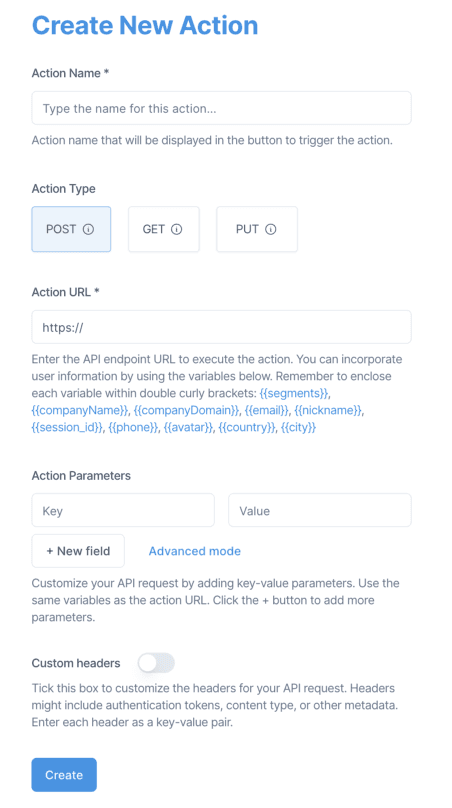
Trigger your own workflows straight from your support inbox — one click, no code needed.
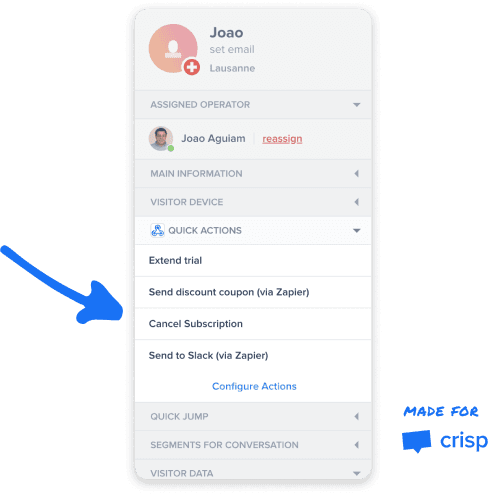
Easily trigger endpoints from popular services like Zapier, Make, and Stripe — or your own custom ones. Personalize parameters with user attributes and streamline your support operations.
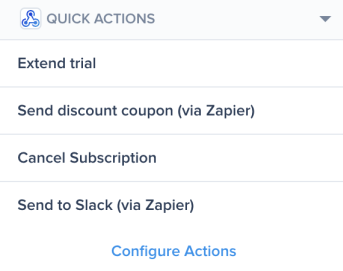
Run your custom actions right from your Crisp inbox sidebar. With a single click, trigger actions without ever navigating away from your conversation.
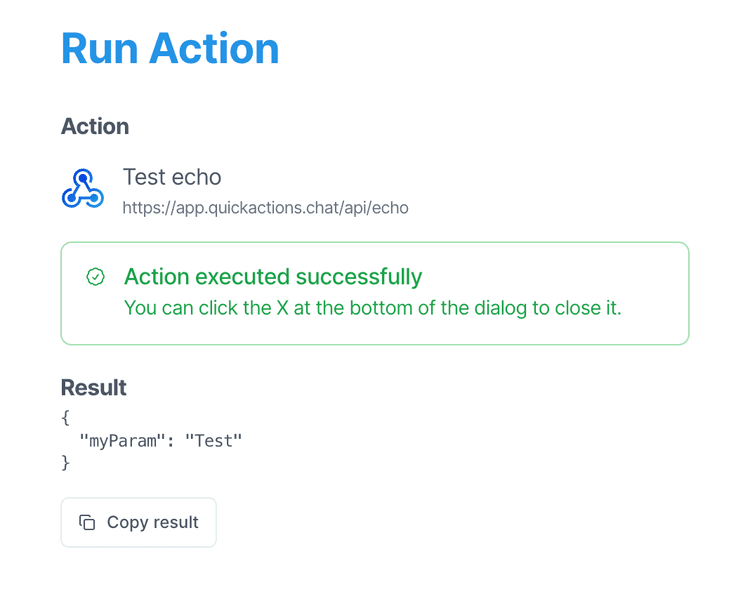
Instantly see the outcome of your action. With the option to copy the results, you can effortlessly transfer the data for further processing.
Discover why support teams love Quick Actions.
Using Quick Actions has allowed us to effortlessly integrate our product with Crisp. Whether it's extending a trial, syncing data, or making a call, our support team can conveniently utilize these features within their familiar Crisp interface.
Quick Actions allowed me to conveniently make REST API requests while chatting with my customers. On top of that, the support is amazing. I suggested an improvement to the developer and he added it in less than 24 hours!
Explore the powerful features offered by Quick Actions.
Automate repetitive tasks and streamline your chat support operations. Save time by eliminating manual actions.
Integrate effortlessly with your Crisp inbox without coding. Automate your support processes instantly.
Craft personalized actions for your endpoints, enhancing the customer experience with seamless integration.
Incorporate user details into action parameters for tailored and efficient process flows.
Supports POST, PUT, and GET methods, allowing for fluid communication with any RESTful webservice.
Activate Zapier or Make workflows with ease, enhancing automation with reliable integration tools.
Install Quick Actions for Crisp and trigger any action with one click, right from your inbox sidebar.
Find answers to common questions about Quick Actions.
Simply add Quick Actions to your Crisp account and follow the instructions provided within the Crisp platform.
Yes, Quick Actions lets you use chat details as variables to tailor actions to each conversation, easily adding them into URLs and parameters.
Quick Actions integrates seamlessly with tools like Zapier and Make, enabling you to connect your chat operations with a diverse array of external platforms.
Quick Actions offers a free trial. For detailed pricing information, please visit our Pricing page.
Yes, you can create Custom Actions for any system capable of handling API calls, enhancing your support systems' functionality and customer experience.
No coding skills are necessary. Our intuitive no-code interface allows you to configure your action endpoints easily.
At present, Quick Actions is designed to work exclusively with Crisp. However, we're actively expanding compatibility. If you have a specific tool in mind, let us know and we'll prioritize its integration.
Quick Actions empowers your team to handle support requests faster and more efficiently — so you can focus on delivering exceptional customer service.
Install on Crisp